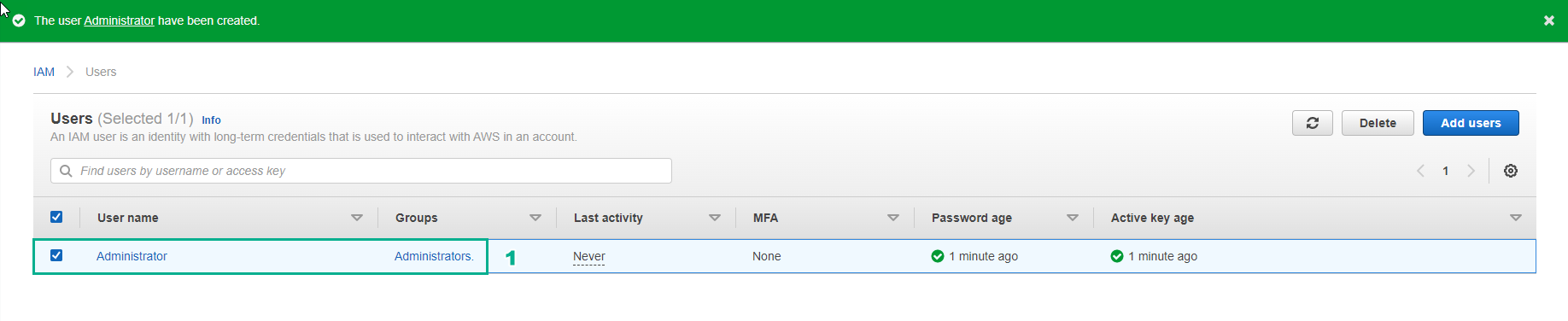
Tạo IAM user group
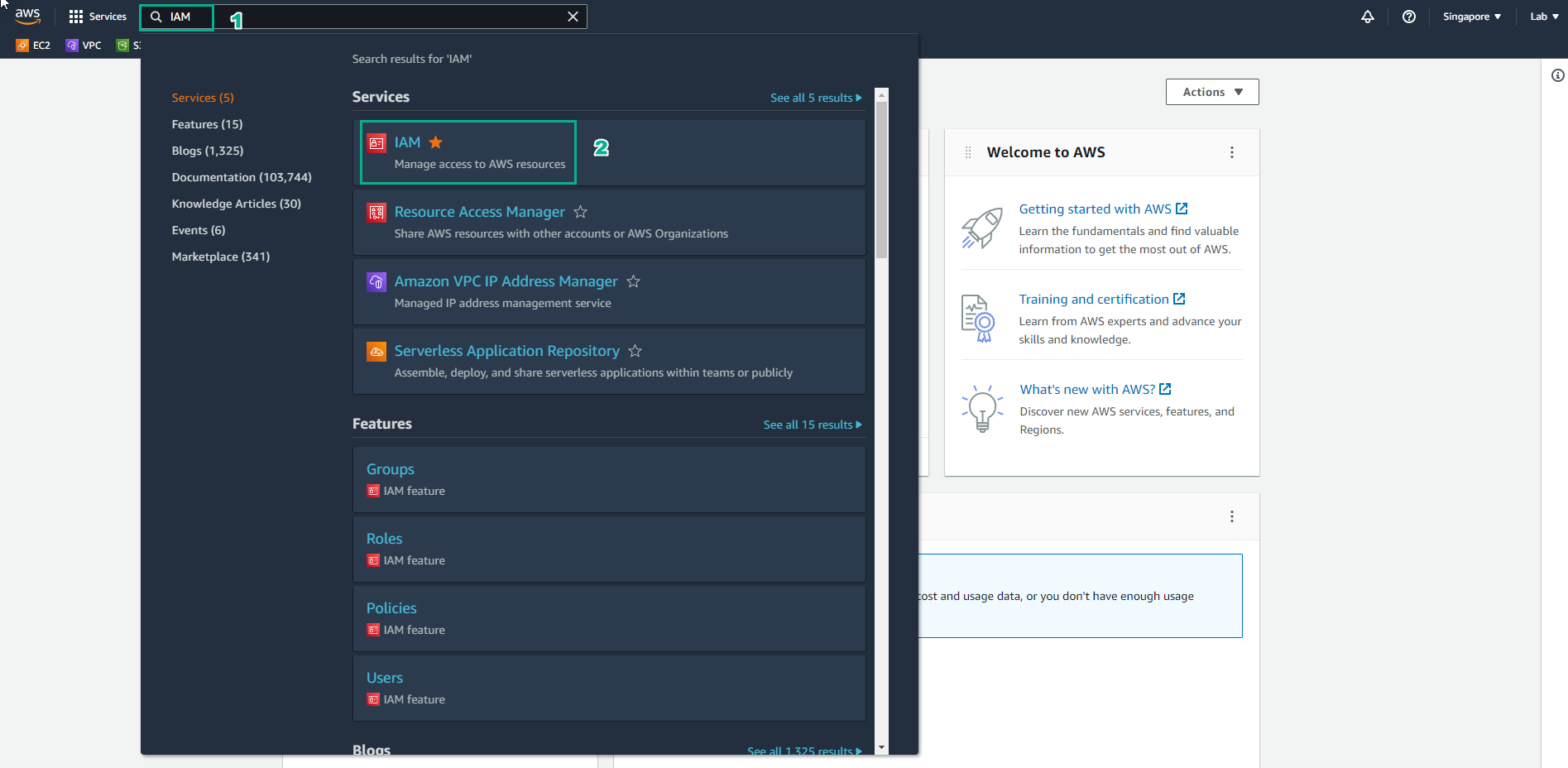
Truy cập vào AWS Management Console
- Tìm IAM
- Chọn IAM
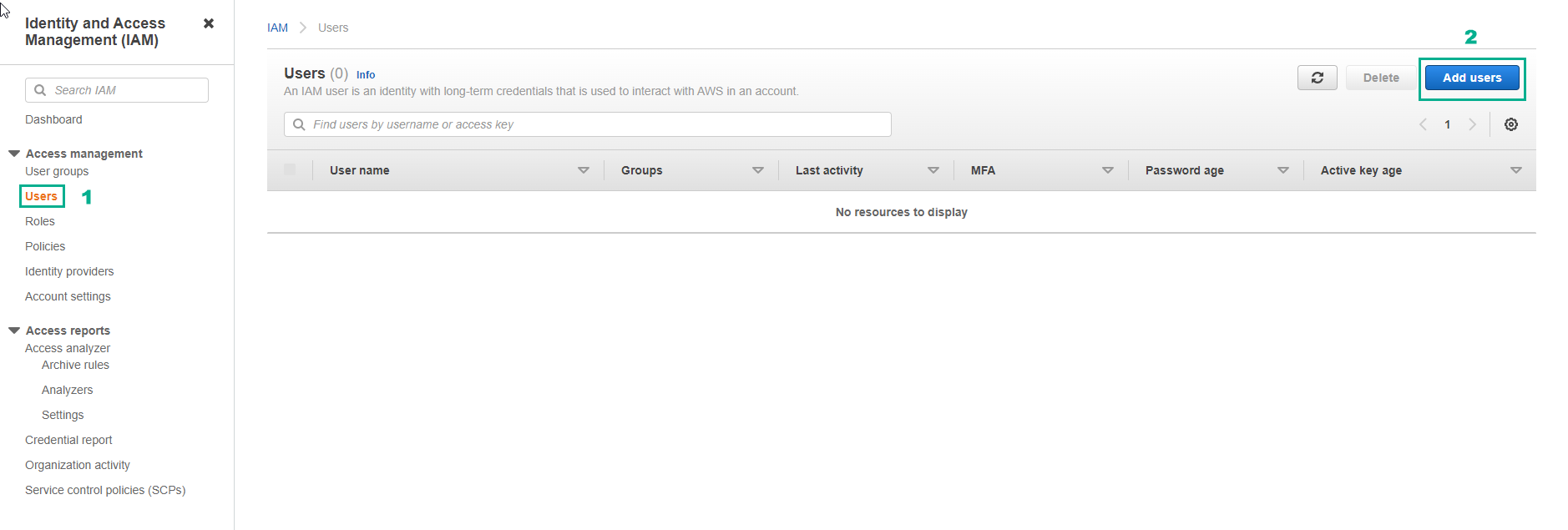
Trong giao diện IAM
- Chọn IAM Users
- Chọn Create user
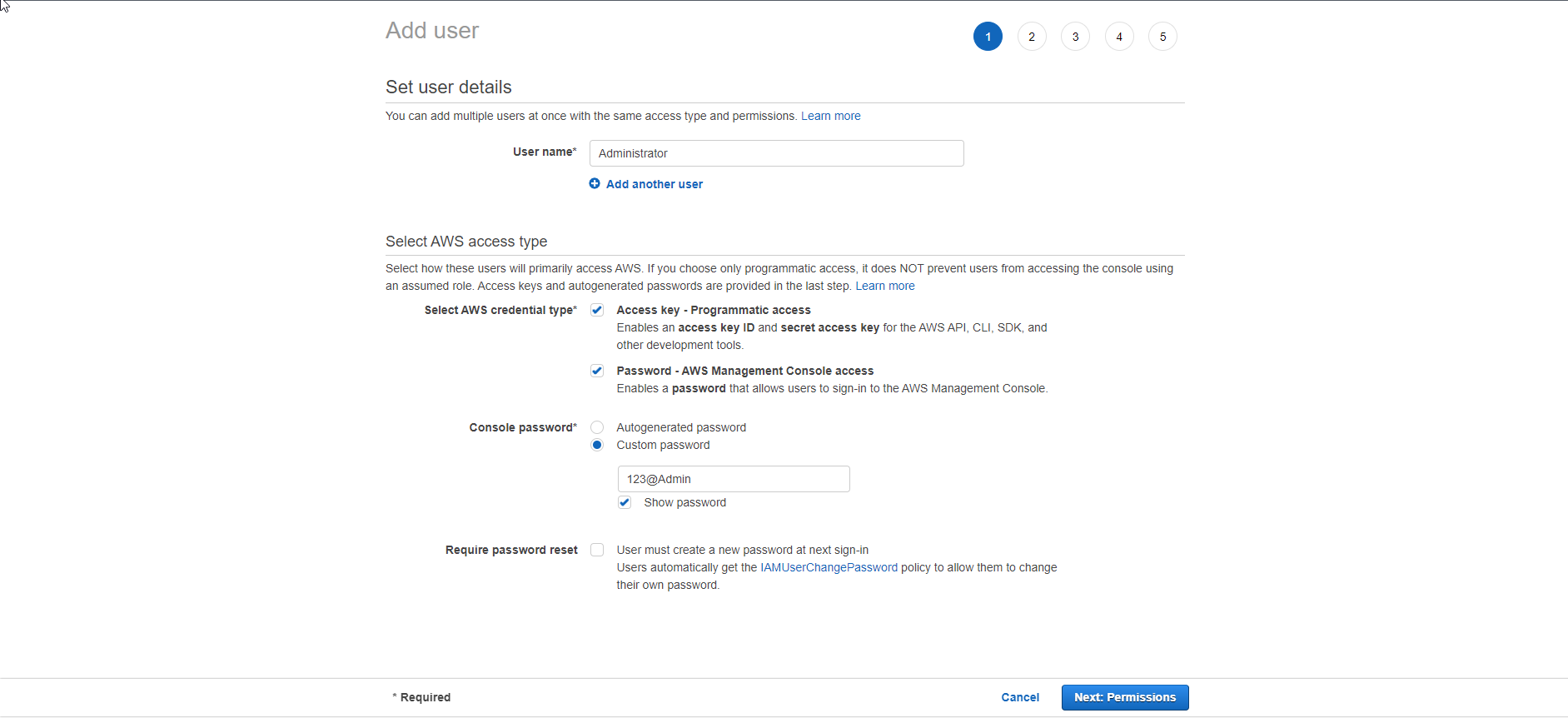
Trong trang Details
- Đối với User name nhập Administrator
- Chọn Provide user access to the AWS Management Console
- Chọn Custom password
- Đặt password mà bạn muốn
- Bỏ chọn User must create a new password at next sign-in
- Chọn Next
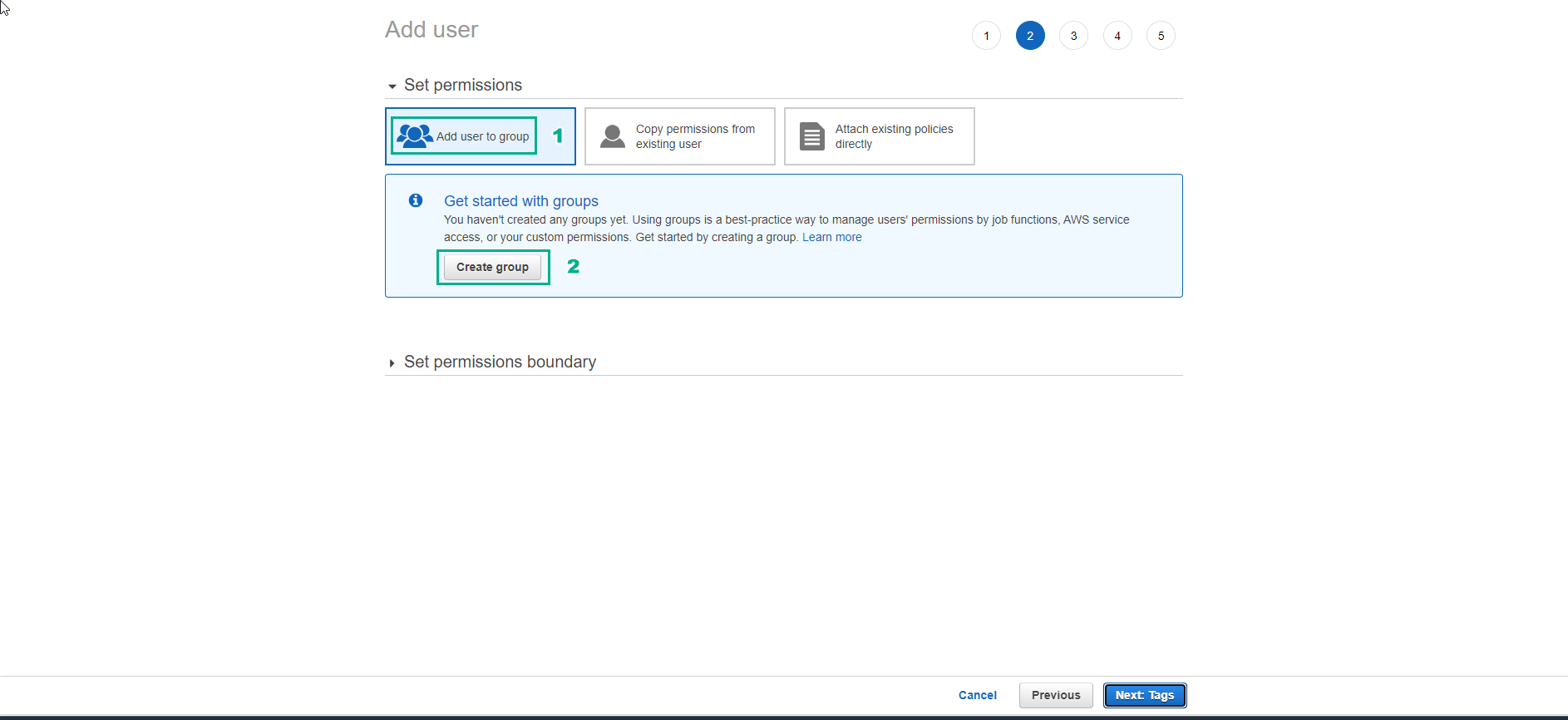
Trong trang Permissions
- Chọn Add user to group
- Chọn Create group
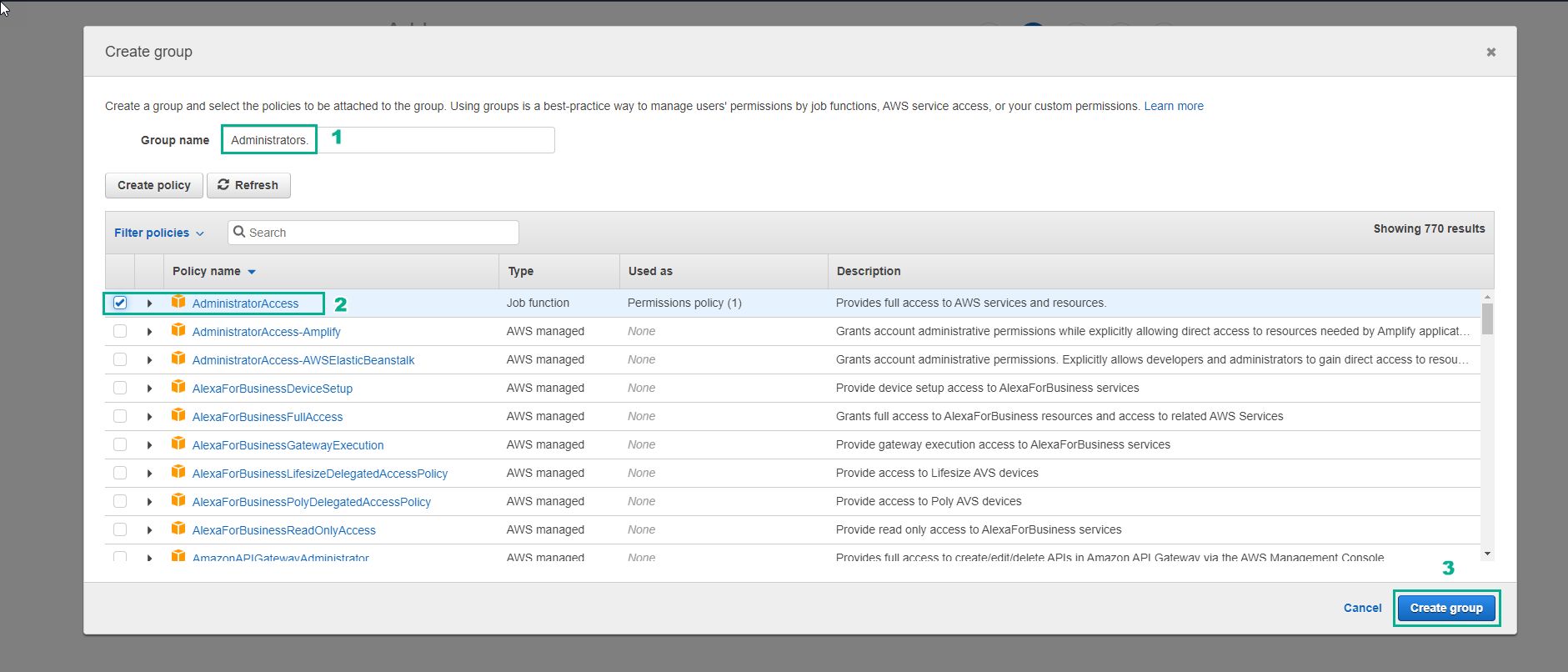
Trong giao diện Create group
- Nhập Administrators đối với Group name
- Chọn AdministratorAccess
- Chọn Create group
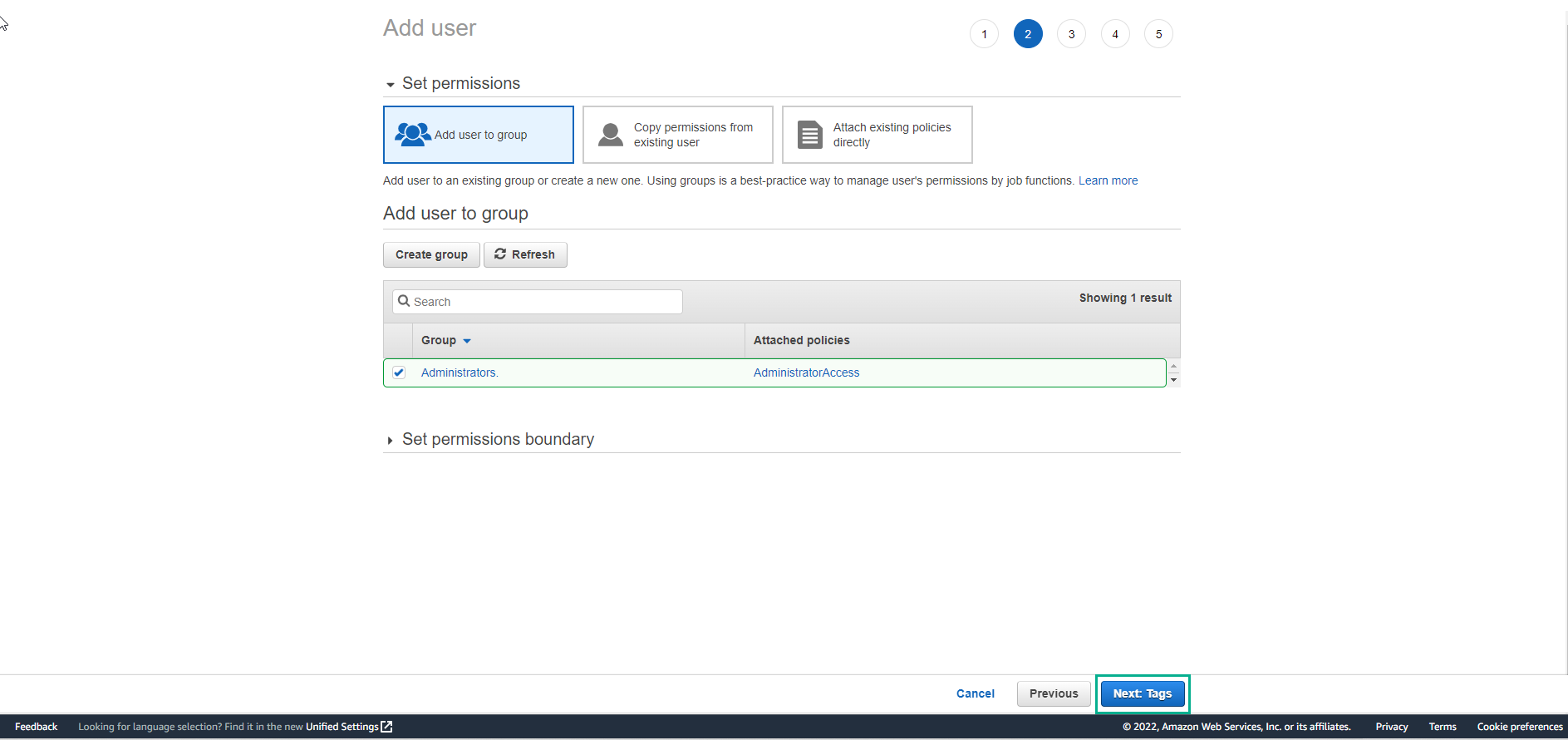
Trong giao diện Add user
- Chọn Next
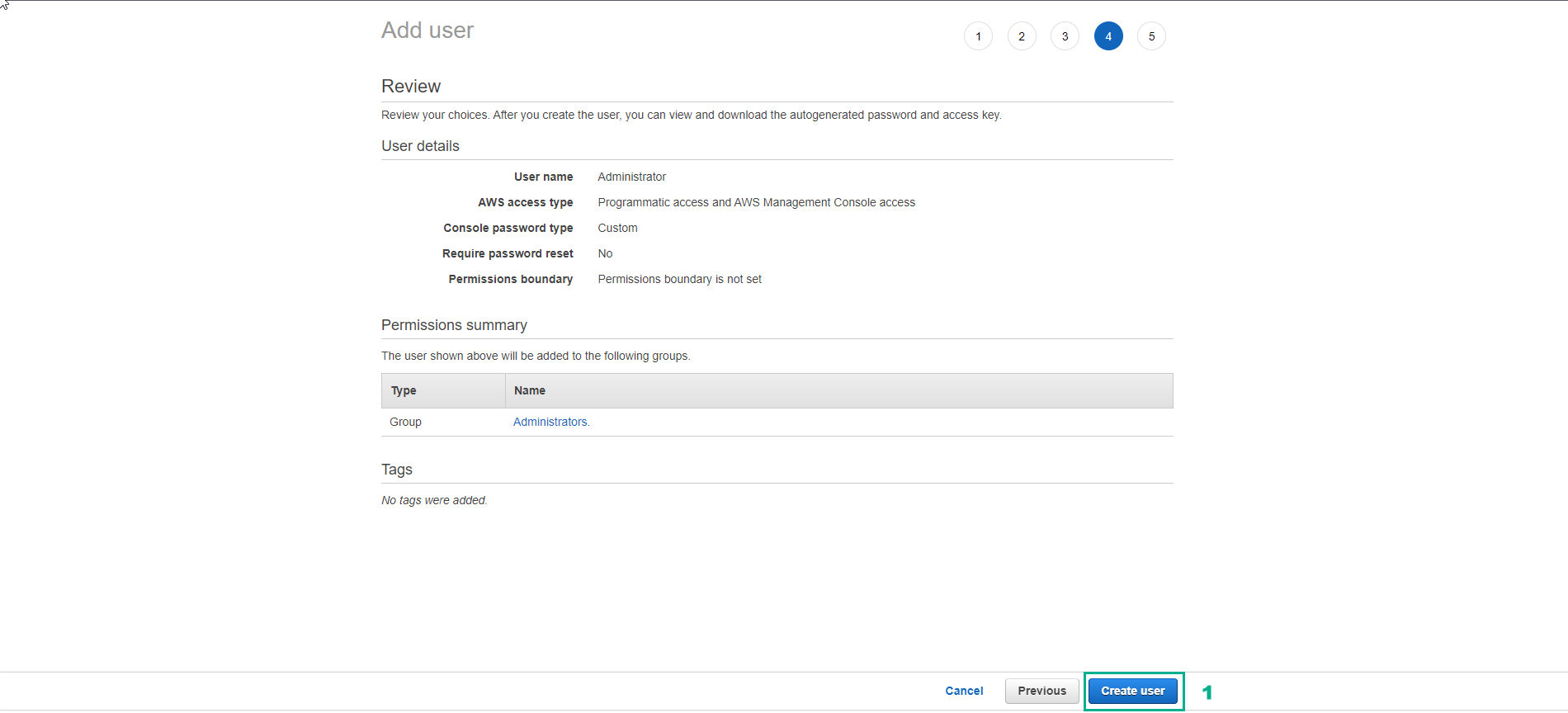
Chọn Create user.
Download thông tin truy cập và lưu trữ lại.Chọn Close
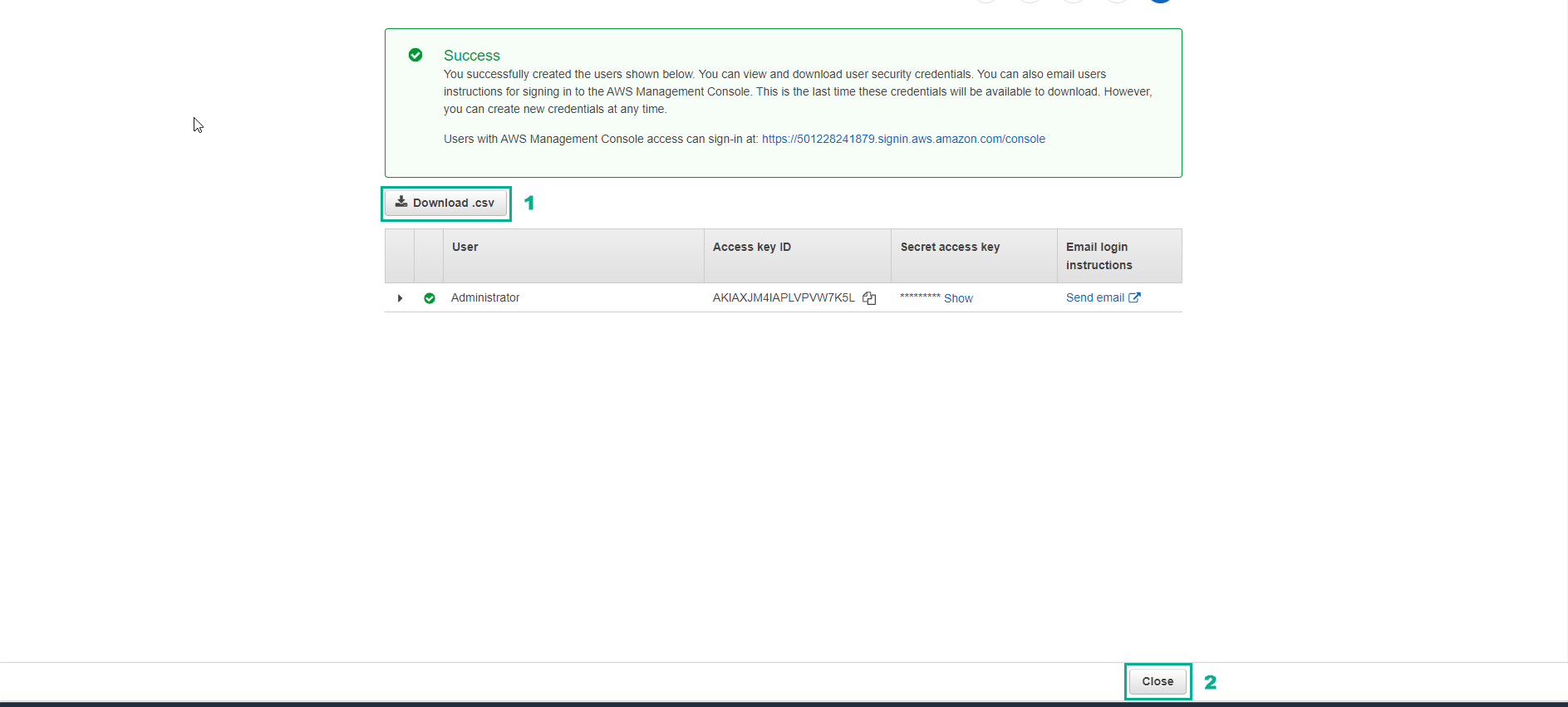
Hoàn thành tạo user và user group.